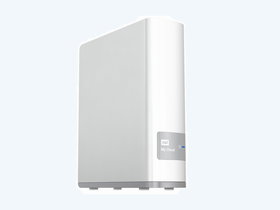
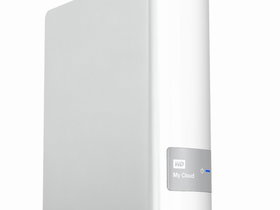
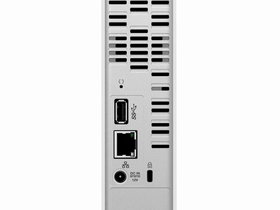
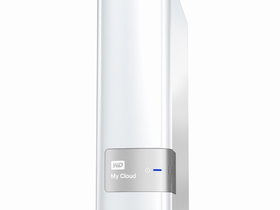
Your media and files on your own personal cloud My Cloud allows you to keep all your content in one safe place at home. No monthly fees. No limits. Centralize your family'smedia collection Store and organize all your family's photos, videos, music and important documents in one secure place on your home network. Access from anywhere Enjoy your digital life from anywhere on your PC, Mac, tablet or smartphone. With WD's free apps, your personal cloud is always with you. Expand your tablet and smartphone storage Upload photos and videos directly to your personal cloud from anywhere and free up space on your mobile devices. Flexible backup options Back up, your way. PC users, WD SmartWare Pro offers options for how, when and where you back up your files. Mac users, utilize all the features of Apple Time Machine backup software to protect your data. Automatic file backup for all your computers Easily back up the files from all the PC and Mac computers in your home. Get peace of mind knowing that all your files are securely and automatically backed up on your network. Connect to Dropbox and more Easily transfer files between your personal cloud, Dropbox and other public cloud accounts using WD's free My Cloud mobile app. Increase your personal cloud capacity Simply attach a compatible USB 3.0 hard drive directly to the USB expansion port on the My Cloud drive and instantly expand your storage capacity. Transfer and access faster Gigabit Ethernet and a Dual-Core processor deliver faster file transfers and seamless remote access. Password protection for privacy Your data is always safe and completely under your control. Protect your personal cloud from unauthorized access with password protection available for every user. Add an extra layer of protectionfor your files You can automatically make a second copy, or safepoint, of your My Cloud on your home network. With double-safe protection for all your media, you get ultimate peace of mind. Set up in minutes Get up and running in minutes with WD's rich web-based user interface for seamless web-guided setup. WD's software will auto-detect your drive to make it easy. Need extra help? Visit wd.com/setup/wdmycloud or call WD's easy setup hotline to have our expert customer support team walk you through the installation of My Cloud and WD's free apps for your computers and mobile devices. Direct photo uploads from your camera with USB 3.0 Simply connect your camera using the USB 3.0 port to quickly add all of your photos to your personal cloud. Product Specifications Interface Gigabit Ethernet, USB 3.0 Performance Specifications Serial Transfer Rate USB 3.0 Serial Bus Transfer Rate (USB 3.0) 5 Gb/s (Max) USB 2.0 Serial Bus Transfer Rate (USB 2.0) 480 Mb/s (Max) Physical Specifications Capacity 3 TB Physical Dimensions English Height 6.70 Inches Depth 5.50 Inches Width 1.90 Inches Weight 2.12 Pounds Metric Height 170.60 mm Depth 139.30 mm Width 49.0 mm Weight 0.96 kg Environmental Specifications Temperature (English) Operating 41° F to 95° F Non-operating -4° F to 149° F Temperature (Metric) Operating 5° C to 35° C Non-operating -20° C to 65° C Electrical Specifications Current Requirements Power Dissipation AC Input Voltage 100-240 VAC AC Input Frequency 47-63 Hz Compatibility Operating System Compatibility Windows/Mac Storage device specifications Type: 3.5" Capacity: 4.0TB Interface: USB 3.0 & Gigabit LAN Network (NAS): with Network
Electronics & Technology › Computers and Data Storage › Data Storage › Network Attached Storage (NAS) Devices — For Sale. Condition: New. Location: Bitola. View product details and photos. Advert No: 3-CJ
ReBALKAN is solely a listing publication and communication platform. The sale, payment, delivery and any return terms are agreed directly between the buyer and the listing owner.